Blog
Poll a person's LinkedIn activity incrementally, and stop paging at the items you already have
A scheduled feed check mostly re-reads items you already stored. Keep a set of seen activity urns, stop at the overlap, and pick a cadence per person.
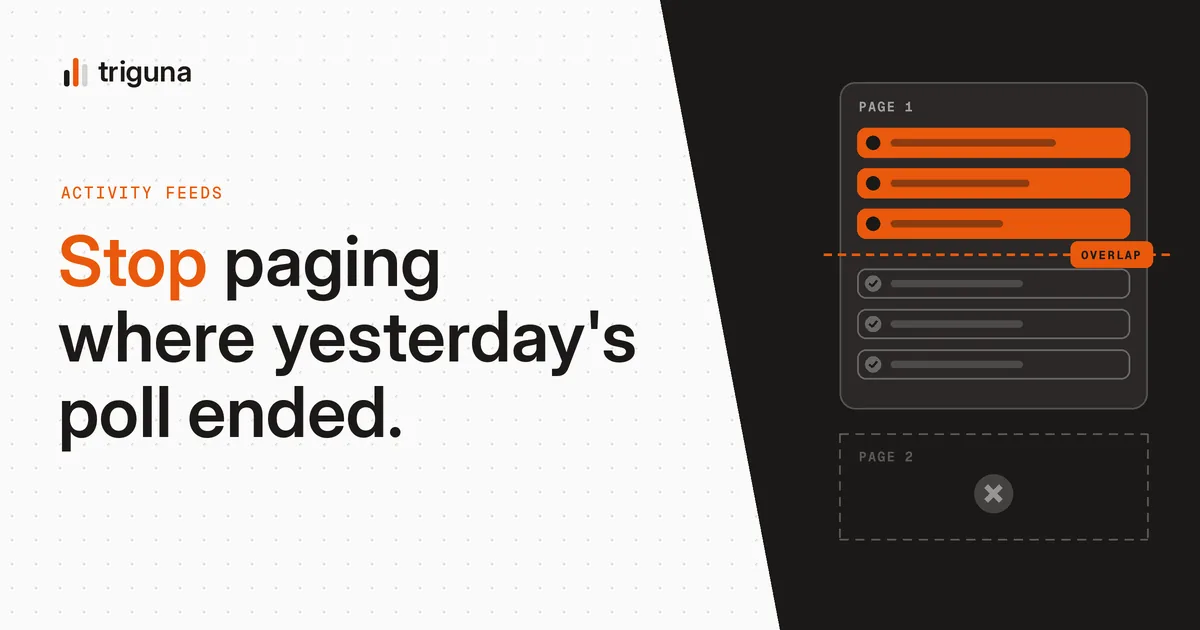
Watching what a list of people post, comment on or react to is one call per person per check:
GET /v1/activities/personal-feed with their bare entity_urn and count=30. That page costs one
credit whatever it holds. The expensive part is not the first page. It is the habit of walking the
whole feed again every time, paying for pages of items you stored yesterday.
The fix is to treat each check as a poll against a record of what you have seen, not as a fresh read:
// One poll: read pages only until you reach items you already stored.
const fresh = await poll(entityUrn, 'posts', seenUrns);
The rest of this post is what goes inside poll, when to stop, and how often to call it.
Your bookmark is the set of urns you have seen
Every feed item carries an activity_urn. Store it, keyed by the person and the mode you asked
for, and you have everything a poll needs to know where it left off:
create table feed_seen (
  entity_urn     text not null,  -- the person, bare ACo... form
  activity_type  text not null,  -- posts | comments | reactions
  activity_urn   text not null,  -- as the feed returned it
  first_seen_at  timestamptz not null default now(),
  primary key (entity_urn, activity_type, activity_urn)
);
Keep activity_type in the key. The three modes answer different questions, and the same post can
legitimately appear in more than one of them: a person can write a post, then comment on it. In
comments and reactions mode the item is someone else’s post, so the author block is not your
subject. That trap is covered in
reading one person’s LinkedIn activity.
Do not use pagination.next_token as a bookmark. Pass it back unchanged within one walk, as the
reference says, and start each new poll without it. Nothing in the reference promises that a token
from yesterday’s walk means anything today, and the seen set already tells you where you stopped.
Stop at the overlap
A poll reads the first page, records every item it has not seen, and decides whether the next page is worth a credit. The rule that keeps polls at one page in the common case:
- Every item on the page was new. There may be more new items behind it. Read the next page.
- The page contained at least one item you had already stored. You have reached the overlap with the previous poll. Stop.
- The page was empty, the token is missing, or
has_moreisfalse. Stop.has_morecan come backnull, so it cannot be your only exit.
const BASE = 'https://api.triguna.ai/v1';

async function feedPage(entityUrn, activityType, token, useCache) {
  const params = { entity_urn: entityUrn, activity_type: activityType, count: '30' };
  if (token) params.pagination_token = token;
  if (!useCache) params.use_cache = 'false';
  const res = await fetch(`${BASE}/activities/personal-feed?${new URLSearchParams(params)}`, {
    headers: { ApiKey: process.env.TRIGUNA_KEY },
  });
  if (!res.ok) throw new Error(`${res.status} ${await res.text()}`);
  return {
    body: await res.json(),
    source: res.headers.get('X-Data-Source'),
    charged: Number(res.headers.get('X-Credits-Charged') ?? 0),
  };
}

// seen: a Set of activity_urn values already stored for this person and mode.
export async function poll(entityUrn, activityType, seen, { maxPages = 5, useCache = true } = {}) {
  const found = [];
  let token;
  let credits = 0;

  for (let page = 0; page < maxPages; page++) {
    const { body, charged } = await feedPage(entityUrn, activityType, token, useCache);
    credits += charged;
    const { activities = [], pagination } = body;

    const unseen = activities.filter((a) => a.activity_urn && !seen.has(a.activity_urn));
    for (const a of unseen) {
      seen.add(a.activity_urn);
      found.push(a);
    }

    const reachedOverlap = unseen.length < activities.length;
    if (!activities.length || reachedOverlap) break;
    if (!pagination?.next_token || pagination.has_more === false) break;
    token = pagination.next_token;
  }

  return { found, credits };
}
maxPages is the ceiling for a person who posted a great deal since the last poll. Without it, a
person you have never polled turns one poll into a full feed walk. That first walk is a backfill
decision, and it belongs in its own job with its own budget, which the
nightly backfill guide covers.
Write each new activity_urn as soon as you have processed its item, not at the end of the run. A
poll that dies halfway then resumes from what it actually stored instead of re-buying its first
page.
Polling twice a day can buy the same page twice
use_cache defaults to true, and on this path, as on the others, a stored copy under 24 hours old
is served instead of a fresh read. It costs the same one credit. That is the right default for a
one-off lookup and the wrong one for a poll that runs more often than daily: the second poll of the
day can hand you the morning’s page again, and bill for it.
Every response tells you which one you got. X-Data-Source is live, store or
stale_fallback, and X-Data-Age-Seconds says how old the data is. Log both, the way
one structured log line per call suggests, and the
question answers itself.
| Your cadence | use_cache | Why |
|---|---|---|
| Daily or slower | leave true | a stored copy is at most a day old, and the next poll is a day away |
| More than once a day | send false | otherwise a later poll can return the earlier poll’s stored page |
| One-off investigation | leave true | you want the answer fast, and a day old is fine |
The general argument for when a fresh read is worth asking for is in when to bypass the enrichment cache, and what a stored copy costs is in what a cache hit costs.
What a poll costs
The floor is one credit per person per poll, because the first page is a real read even when it holds nothing new. Every extra page costs one more, and with the overlap rule an extra page only happens when the whole first page was new. At $0.005 a credit, for a list of 100 people:
| Polling plan | Credits | Cost |
|---|---|---|
| Daily, one page each | 100 a day | $0.50 a day |
| Daily, for a year | 36,500 | $182.50 |
| Weekly, one page each, for a year | 5,200 | $26.00 |
Twice a day with use_cache left true | 200 a day | $1.00 a day, for no extra freshness |
Those are floors. A person who posts often adds pages, and a person you poll in all three modes costs three times as much. The bill is the number of polls times the modes you ask for, so the two levers worth pulling are cadence and mode.
Pick the cadence per person, not per list
Most lists mix people who post most days with people who post a few times a year. Polling all of them daily spends most of its credits confirming that nothing happened.
A simple adaptive rule fixes that. After each poll, lengthen the interval for a person whose poll found nothing new, and shorten it when it found something:
const MIN_DAYS = 1;
const MAX_DAYS = 14;

function nextInterval(currentDays, foundCount) {
  if (foundCount > 0) return Math.max(MIN_DAYS, Math.floor(currentDays / 2));
  return Math.min(MAX_DAYS, currentDays * 2);
}
Store the interval and the next due time on the person row and let the scheduler pick whoever is
due. Pick MAX_DAYS from how late you can afford to notice something, not from the bill: a weekly
ceiling means a quiet person’s new post can sit unseen for up to a week.
Ask only for the modes you use. If your workflow only routes on what someone writes, posts is
the whole job, and polling comments and reactions triples the floor for data nobody reads.
Polling many people who engage with the same posts
In comments and reactions mode, several people on your list will often engage with the same
post. The seen set stays per person, because “who did what” is the fact you are recording. Any
follow-up on the post itself should be deduplicated across people.
GET /v1/posts/details costs one credit and is what returns both of a post’s urns, which the feed
leaves out. Resolve each post once, store both urns against the activity_urn you already have, and
reuse them for every person who touched it. The reason the two urns matter, and what the
engagement lists cost to walk, is in
who liked and commented on a LinkedIn post.
When a poll fails
A poll is a loop of ordinary calls, so the ordinary rules apply. A slug or a urn:li: string
instead of the bare urn is a free 400, so resolve the person once through the
Person API and store the urn, as
keying records on the stable identifier argues.
429 and 503 carry Retry-After; honour it and retry. A 402 means the balance ran out
mid-run, and the seen set means the next run resumes rather than restarts.
Checking credits before a batch run keeps that from
happening at a bad moment.
Every value in a feed item may be null while every key is present. commentary is null on an
image-only post, for example, so a poll that filters on text needs to expect it. The patterns are
in handling partial records.
The short version
- The seen set is the bookmark. Store
activity_urnper person and mode, write it as you go, and never reuse a pagination token across polls. - Stop at the overlap. Read another page only when every item on the current one was new.
- Mind the cache on sub-daily polls. A stored copy under 24 hours old costs the same credit as
a fresh read, so send
use_cache=falsewhen you poll more than once a day. - Cadence and modes are the bill. Poll quiet people less often, and ask only for the modes you act on.
Fifty free credits are enough to poll a handful of people for several days and watch the overlap rule hold a poll to a single page. Why the API documents behavior like this rather than leaving you to discover it is on the about page.
Next
- Reading one person’s LinkedIn activity: the three modes, the urn the feed leaves out, and the reaction you cannot date.
- Nightly backfill: pacing and checkpointing the first full walk before you switch to polling.
- Person API: the call that turns a slug into the bare
entity_urnthe feed requires. - When to bypass the enrichment cache: what
use_cache=falsebuys and when it is worth it. - Pricing: what a page of a feed costs, and the statuses that cost nothing. Sign up for fifty free credits at app.triguna.ai/signup.